






If you find this article interesting, you should check out and find out more exposed facts about technology you SHOULD be aware of.

The Weight of Technology, Now available on Kindle and Paperback version on Amazon
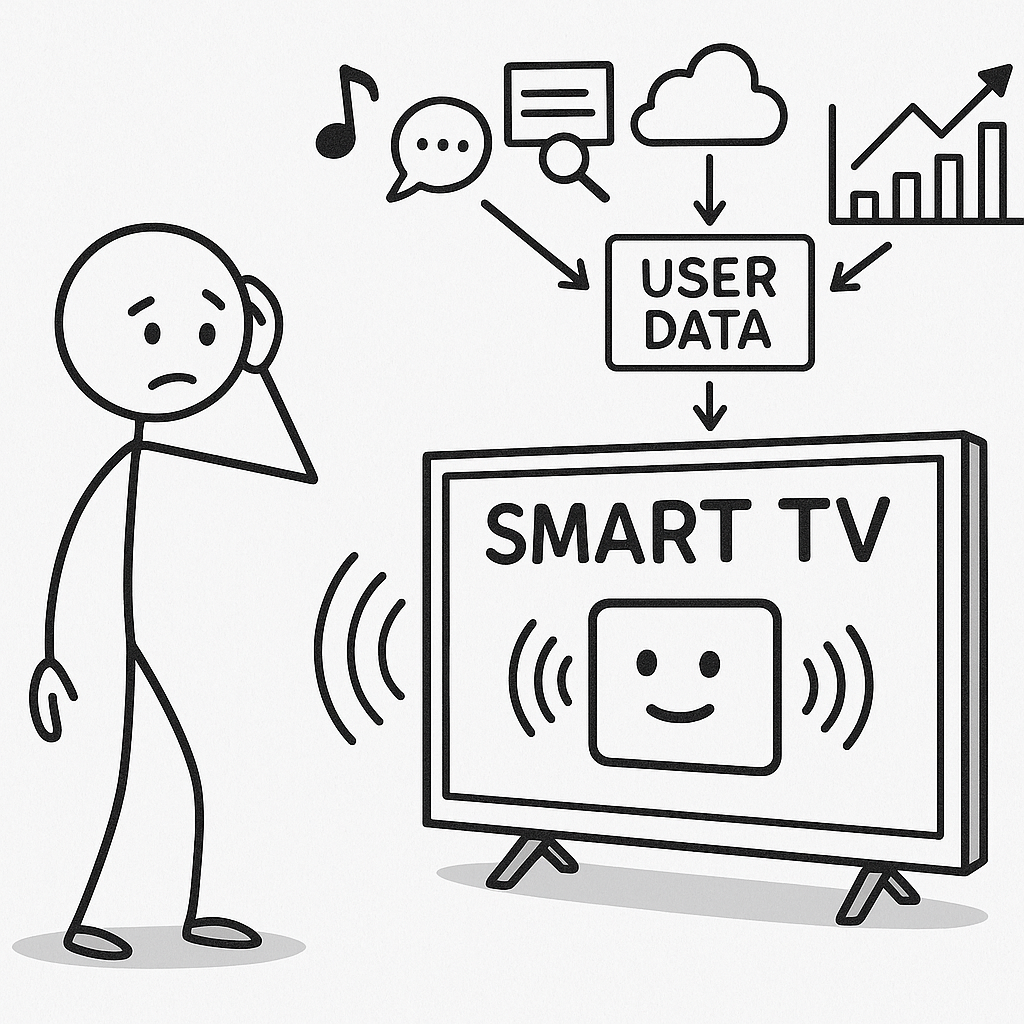
If you bought a TV in the last few years, chances are it’s no longer “just a TV.” It’s a networked computer with an enormous screen, a full operating system, always-on connectivity, third-party apps, microphones, sometimes cameras—and a business model built around monitoring what you watch.
This piece walks through how Smart TVs actually work, what makes them “smart,” how they collect and monetize your data, the real security and privacy risks (at home and at work), and what you can realistically do to lock them down.
1. What makes a TV “smart,” technically?
Under the plastic shell, a modern Smart TV is closer to a phone or tablet than an old-school television.
Most Smart TVs now include:
- Embedded operating system
- Samsung: Tizen
- LG: webOS
- Sony / many others: Android TV / Google TV
- TCL, Hisense, many budget brands: Roku TV, Fire TV, or proprietary OS
- Network stack – Wi-Fi and/or Ethernet, often with Bluetooth.
- Processor + storage – ARM SoC, enough RAM and flash to run apps, stream 4K, and store logs.
- App platform – Netflix, YouTube, Hulu, Disney+, games, ad widgets, etc.
- Sensors & extras
- Microphones for voice assistants (Alexa, Google Assistant, Bixby, etc.).
- Sometimes a built-in camera for video calls, gesture control, or “presence detection.”
- Advertising & analytics SDKs baked into the firmware and/or OS.
From a privacy perspective, the key idea is this:
Your Smart TV is a general-purpose connected computer on your local network, with a business incentive to observe what happens on that big screen.
2. How Smart TVs collect data
Smart TVs collect data at several layers at once. The important difference is between system-level tracking (built into the TV itself) and app-level tracking (Netflix, YouTube, etc. doing their own thing).
2.1 Automatic Content Recognition (ACR): the main surveillance engine
Most modern Smart TVs ship with Automatic Content Recognition (ACR). ACR is software that:
- Takes tiny samples of what’s on screen (video frames or short audio snippets).
- Creates a “fingerprint.”
- Sends that fingerprint to a vendor’s servers.
- Matches it against a giant database of shows, movies, ads, and channels to identify exactly what you’re watching—broadcast, cable, streaming app, even HDMI inputs like a Blu-ray player or game console. Ad Tech Explained+2UC Davis+2
Academic and investigative work in 2023–2025 confirmed that the most popular TV brands now use ACR by default to capture content from the screen and share it with manufacturers and ad-tech partners. UC Davis+2The Markup+2
Data ACR typically sends:
- Which title or channel you’re watching.
- Timestamp and duration (“watched this show from 8:02–8:47 pm”).
- Whether you skipped or saw an ad.
- TV or device identifiers (model, serial, advertising ID).
- Network identifiers: IP address, possibly tied to ZIP code or approximate location. Vorys+1
2.2 OS and app telemetry
Beyond ACR, Smart TVs collect:
- App usage: which apps you open, when, for how long.
- Navigation data: clicks, searches, which tiles you highlight.
- Crash/logging data.
- Device identifiers: serial number, MAC address, advertising ID, sometimes Wi-Fi SSID.
Even if you disable ACR, some telemetry continues. Consumer Reports has repeatedly found that you can’t fully stop data collection, only reduce it. Consumer Reports
2.3 Microphones, cameras, and voice assistants
Many Smart TVs (and connected streaming boxes/speakers) include:
- Far-field microphones for hands-free voice commands.
- Cameras for video calls or presence detection.
By design, most vendors claim:
- Microphones listen locally for a wake word (“Alexa”, “Hey Google”, “Hi Bixby”).
- After the wake word, your spoken command is sent to the cloud to be processed.
- A limited amount of pre-wake audio is buffered (a couple of seconds) so it can be attached to the wake word.
Security agencies and privacy researchers have warned that any Internet-connected camera or microphone in your home is a potential surveillance point if misconfigured, compromised, or abused. BlackCloak | Protect Your Digital Life™+3Kaspersky+3Bitdefender+3
3. How that data gets turned into money
Smart TV makers are not just selling hardware. They’re often selling:
- Audience measurement – “How many households watched this show/ad, and for how long?”
- Targeted advertising inventory – Ads on the TV home screen, inside streaming channels they control, and “retargeting” on other devices in your home.
- Data to brokers/partners – So other companies can target or measure ads using your viewing history.
3.1 The Vizio case: a real-world example
In one of the defining Smart TV privacy cases, the U.S. Federal Trade Commission (FTC) and New Jersey Attorney General charged Vizio with secretly collecting second-by-second viewing data from 11 million TVs and selling it to third parties without consumers’ knowledge or consent. TIME+4Federal Trade Commission+4Vorys+4
The complaint described how:
- Vizio TVs captured detailed viewing histories.
- Vizio then used data brokers to link that to demographic info such as age, sex, income, marital status, household size, education, home ownership, and home value.
- Partners used the combined data to deliver targeted ads across devices, not just on the TV.
Vizio ultimately agreed to:
- Pay $2.2 million to settle with the FTC and New Jersey. Federal Trade Commission+2Federal Trade Commission+2
- Delete certain historical data.
- Get express consumer consent for future viewing data collection.
- Implement a long-term privacy program and submit to audits. Hunton Andrews Kurth+1
Later, a separate class action settlement was approved for $17 million over similar allegations of secret tracking and sharing. Gibbs Mura, A Law Group+2Hunton Andrews Kurth+2
You can treat the Vizio saga as a case study of the business logic behind Smart TV tracking, not an isolated oddity.
3.2 How ad targeting usually works
A simplified pipeline:
- ACR & telemetry collect what’s on screen + when you watched it.
- TV maker (or its ACR vendor) builds a household profile tied to your IP, advertising ID, and/or hashed identifiers.
- That profile gets sent into an ad-tech ecosystem:
- Demand-side platforms (DSPs), data brokers, measurement partners, etc.
- Advertisers use that graph to:
- Show ads on your TV (home screen tiles, “sponsored” rails, streaming channel ads).
- Show ads on your phone, tablet, or laptop that are “in sync” with what you watched on TV.
So you watch a car commercial on live TV, and later see “follow-up” car ads in your mobile apps or browser. That’s not magic; it’s ACR and cross-device identity graphing.
4. Can Smart TVs “listen to the room” and target ads from conversations?
Short answer: They technically could, but there’s limited public evidence that mainstream Smart TVs are systematically doing conversation-keyword ad targeting today. The dominant tracking method is still what’s on the screen, not what you say in the room.
Let’s unpack that carefully.
4.1 What we know they do with audio
For TVs with built-in voice assistants:
- The TV’s mics are always listening locally for the wake word.
- When triggered, they send your voice command (and a bit of audio just before it) to cloud servers for recognition.
- Some vendors historically retained voice recordings for quality control, and contractors have sometimes reviewed snippets manually—this is well-documented for smart speakers, and similar architectures underpin TV-based assistants.
From a privacy standpoint, that means:
- Speech near the TV can be captured and stored whenever you interact with voice features.
- If an attacker compromises the TV, they may subvert that mechanism to record far more than intended. Law enforcement and security teams have explicitly warned that hacked Smart TVs can be used to spy via microphones or cameras. Keeper® Password Manager & Digital Vault+4ID Watchdog+4BlackCloak | Protect Your Digital Life™+4
4.2 What’s plausible but not well-documented
There are patents and ad-tech concepts for:
- Using ambient audio to infer interests (e.g., detecting a sports game by crowd noise, recognizing a jingle).
- Keyword spotting in ambient conversations (“wedding”, “baby”, “car”, etc.) to adjust ad profiles.
However:
- Public investigations into Smart TV tracking have overwhelmingly found ACR + app telemetry as the main drivers of ad targeting—not full-time recording and analysis of household conversation. UC Davis+2The Markup+2
- No major TV vendor advertises “we scrape all your room audio for ad targeting,” for obvious reasons.
So the grounded stance is:
- Yes, they can listen (by design, for voice commands).
- Yes, if hacked, they can become wiretap devices.
- But the documented ad-tracking architecture today is about what’s on the screen, not live transcription of your family arguments to sell you therapy apps.
If you’re in a sensitive environment (boardroom, law office, medical practice, etc.), you should nevertheless assume that any device with a mic or camera + network access is a potential listening post and plan accordingly.
5. Real-world risks: home and business
5.1 Residential risks
- Behavioral profiling
- Detailed logs of what you watch, when, and how often.
- Combined with demographic and location data, this builds a surprisingly intimate portrait of your habits, politics, income band, family structure, and more. Vorys+2Manatt+2
- Cross-device targeting & manipulation
- TV viewing influences ads you see on your phone and laptop.
- This can be used not just for selling products, but also for political messaging and “issue” campaigns.
- Security vulnerabilities and hacking
- Unpatched TV firmware can let attackers:
- Install malware on the TV.
- Spy through the camera or microphone.
- Steal app credentials or tokens used by streaming apps.
- Use the TV as a pivot point into your home network. The Verge+4ID Watchdog+4BlackCloak | Protect Your Digital Life™+4
- Unpatched TV firmware can let attackers:
- Exposure of kids and other household members
- Kids’ viewing patterns can be tracked and used to shape advertising and recommendations.
- Family schedules and routines can be inferred—when you’re likely home or away.
5.2 Business / workplace risks
Smart TVs are now common in:
- Conference rooms
- Co-working spaces
- Hotel meeting rooms
- Waiting areas in clinics, banks, law firms, etc.
Risks here include:
- Confidential content leakage
- ACR doesn’t care whether that HDMI source is Netflix or a confidential all-hands presentation.
- If a screen-sharing session includes logos, template slides, or video assets that resemble known content, you could leak signals about what you’re working on.
- Microphone/camera exposure in sensitive spaces
- TVs with mics/cameras in boardrooms or HR offices are a liability if:
- Misconfigured
- Left signed into personal accounts
- Compromised by malware
- TVs with mics/cameras in boardrooms or HR offices are a liability if:
- Compliance and regulatory issues
- Industries with strict confidentiality or privacy requirements (legal, healthcare, finance) need to document and control potential recording devices in meeting spaces.
- If a Smart TV is logging viewing data during client meetings, you may have a compliance issue, even if the risk feels low-probability.
- Network hygiene
- A compromised Smart TV in a corporate LAN can be used to:
- Scan internal services
- Spread malware
- Act as a foothold for laterally moving across systems. ID Watchdog+2Keeper® Password Manager & Digital Vault+2
- A compromised Smart TV in a corporate LAN can be used to:
6. Common Smart TV vulnerabilities
The attack surface is broad:
- Outdated firmware
- Many vendors are slow to patch; some abandon support early.
- Cyber-security firms and the FBI have flagged Smart TVs as attractive targets because they sit in trusted networks and are rarely hardened by users. Kaspersky+2Bitdefender+2
- Insecure apps and integrations
- Poorly written third-party apps.
- Embedded browsers with weak sandboxing.
- Vulnerabilities in protocols like AirPlay and casting systems, which can be abused for remote code execution if the local network is compromised. The Verge
- Weak or default credentials
- Some TVs expose web interfaces, debug ports, or remote-control APIs with default or guessable passwords.
- These can be discovered by automated scans (think Shodan-style tooling).
- Exposed cameras & microphones
- Direct access if the TV is hacked.
- Indirect access if an attacker gains access to cloud storage where recordings are uploaded.
- Lateral movement
- Once an attacker compromises a TV, they can try to:
- Sniff local network traffic.
- Attack file servers, routers, PCs, or IoT devices on the same segment.
- Once an attacker compromises a TV, they can try to:
7. How to protect yourself and still watch TV
Let’s talk about realistic defenses you can actually live with.
7.1 The nuclear option: make your Smart TV “dumb”
If you want maximum privacy:
- Disconnect the TV from the Internet entirely
- No Wi-Fi, no Ethernet.
- Use an external device (Blu-ray, antenna, etc.) that doesn’t require Internet.
- Or: use a “dumb screen” TV or monitor
- Some business-class displays have no Smart platform at all.
Security experts and privacy advocates repeatedly point out that the single most reliable way to stop Smart TV tracking is to cut its network connection. WIRED+1
7.2 The compromise: external streamer on a controlled network
If you want Netflix and friends and better control:
- Turn off as many Smart features as possible on the TV itself
- Disable ACR and “viewing data” / “Smart Interactivity” features in settings. Consumer Reports+1
- Turn off interest-based ads where possible.
- Turn off voice assistant and set mic to off or physical mute, if available.
- Disable “remote diagnostics” / “usage data” if there’s a toggle.
- Use an external streaming box or stick
- Roku, Apple TV, Fire TV, Chromecast with Google TV, etc.
- These devices still have tracking, but:
- It’s easier to research and manage.
- You can rotate/replace them more frequently than you can a big TV.
- Put streaming devices on a separate network
- Use Guest Wi-Fi or a separate VLAN just for IoT/TVs.
- Prevent them from reaching sensitive devices like workstations or servers.
- Use DNS-level blocking where possible
- A Pi-hole or similar DNS sinkhole to block known tracking domains used by your TV OS and streaming devices.
- This won’t catch everything, but it can significantly cut down telemetry.
7.3 Microphone and camera hygiene
- Disable mics in settings and, if possible, via a hardware switch.
- If there’s a camera:
- Turn it off in settings.
- Physically cover it with a sliding cover or opaque tape.
- In sensitive rooms (boardrooms, law offices, clinics):
- Prefer displays without mics/cameras.
- If unavoidable, keep them unplugged except during intentional use.
7.4 Account and app practices
- Do not sign into your primary Google/Apple/Facebook account on the TV if you can avoid it.
- Use minimal or throwaway accounts to reduce cross-linking with your core identity.
- Periodically review app permissions and login sessions.
- Log out of apps when you no longer need them on that device (e.g., hotel or Airbnb TVs).
7.5 Patch and monitor
- Enable auto-updates for TV firmware and apps.
- Periodically check:
- Privacy / security settings (they can be silently reset by updates).
- Whether new “features” like ACR have been enabled by default after firmware upgrades.
- Watch for weird behavior:
- Random restarts.
- Strange pop-ups.
- Privacy settings mysteriously changing.
- Forced redirects, slow performance, or apps appearing that you didn’t install. Keeper® Password Manager & Digital Vault+1
If something feels off and you can’t explain it, do a factory reset and consider isolating the TV on its own network segment.
8. Checklist: Practical privacy steps for Smart TVs
Here’s a summary you can adapt into a jeremyabram.net style sidebar or checklist:
- During setup
- Decline “viewing data,” “Smart Interactivity,” or ACR opt-ins.
- Turn off interest-based ads and personalized content where possible.
- Skip voice assistant activation unless you truly need it.
- In settings (now, on any existing TV)
- Disable ACR / “viewing information” / “TV usage data.”
- Disable voice assistant and microphone.
- Turn off camera or cover it physically.
- Turn off remote diagnostics / usage reporting if there’s a toggle.
- On your network
- Put TVs and streamers on guest Wi-Fi or an IoT VLAN.
- Use DNS-level blocking (Pi-hole, router-level filtering) to cut tracking domains.
- Keep firmware and apps up to date.
- At home
- Treat Smart TVs as untrusted IoT devices, not neutral appliances.
- For very sensitive conversations, use rooms with no Internet-connected mics/cameras.
- At work
- Prefer displays without Smart OS / mics / cameras for sensitive rooms.
- If the TV must be smart, place it on a segregated network and disable tracking features.
- Document Smart TVs in your security and privacy inventories.
- If in doubt
- Remember: the only fully reliable way to stop a Smart TV from phoning home is to disconnect it from the Internet.
If you find this article interesting, you should check out and find out more exposed facts about technology you SHOULD be aware of.
The Weight of Technology, Now available on Kindle and Paperback version on Amazon




Leave a Reply